
FREE PUBLIC SAFETY RESOURCE
Public Safety Drone Activity Log Template
A clear place to document the mission, and a separate worksheet for activity your agency approves to share.
Designed for law enforcement, fire, search and rescue, and emergency-management drone operators.
Email Me All 7 TemplatesFillable PDF. US Letter. No signup required.
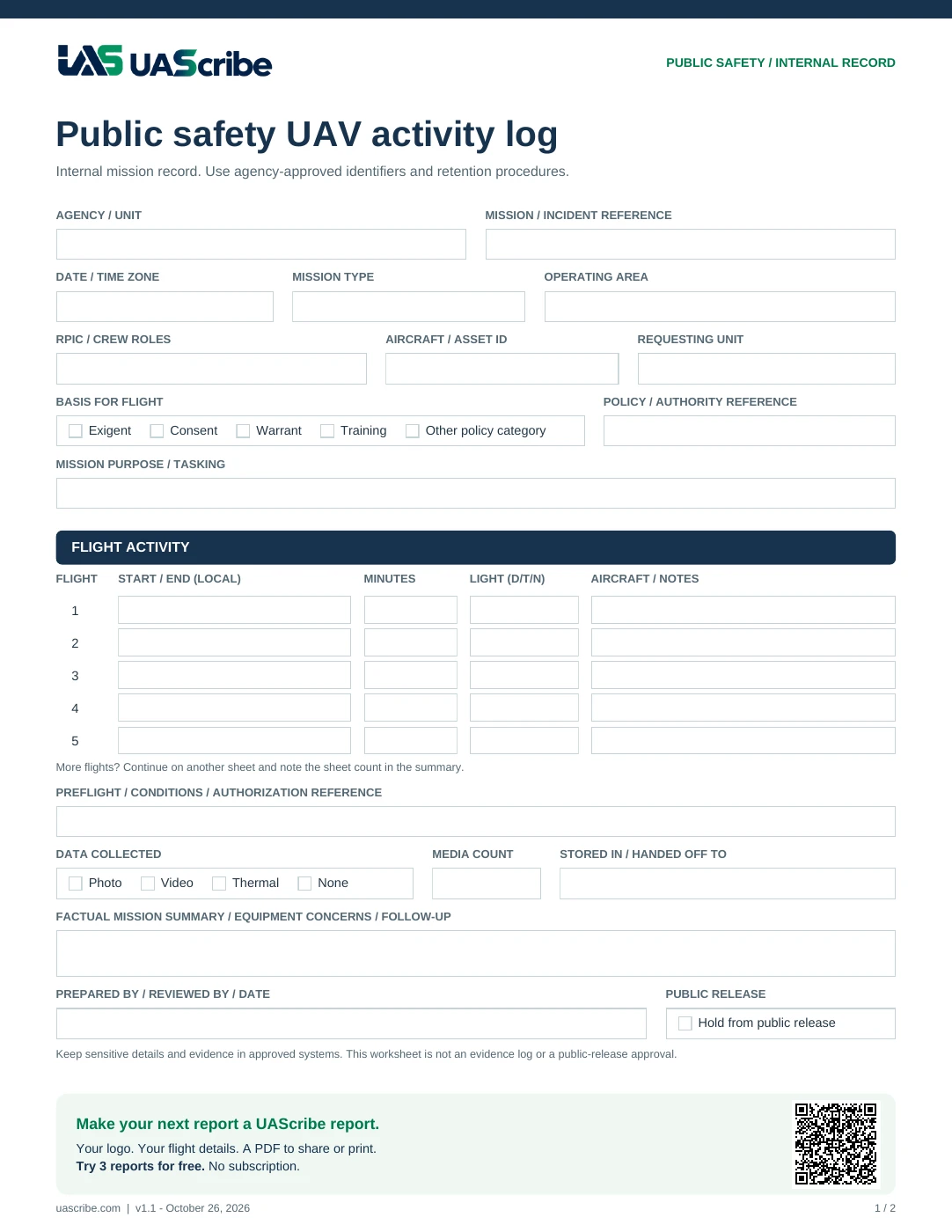
Page 1: An Internal Mission Record
Record the agency, mission reference, requesting unit, basis for the flight, tasking, RPIC and crew roles, aircraft, up to five flights with light conditions, preflight context, data collected and where it was stored or handed off, factual observations, and follow-up needs. A “Hold from public release” box flags records that shouldn’t appear in a public summary yet. Use agency-approved identifiers and systems for sensitive information.
Page 2: An Activity-summary Worksheet
Prepare broad mission categories, general areas, flight type (operational or training), flight counts, durations, light conditions, data collected, and an approved activity summary. Keep this worksheet separate from the internal record and have the appropriate agency reviewer approve any release.
This template does not decide what is legally releasable. Avoid including personal information, sensitive locations, tactics, evidence identifiers, or restricted incident details in a public summary.
Make Each Record Useful After The Flight
A consistent record supports supervisor review, training discussions, equipment follow-up, and crew handoffs. Follow your organization’s retention, access, and release procedures.
Explore UAScribe for Public Safety or browse all free templates.
Background: FAA Public Safety resources. This independent template is not an FAA or agency form.
OPTIONAL EMAIL UPDATES
Get Your Free Templates
Get the free templates, plus practical documentation tips and occasional UAScribe updates. Subscribe to receive the free template download links by email.
Enter your email in the form and confirm your address using the email we send. Unsubscribe anytime using the link in our emails. How email subscriptions are handled.
Form not loading? Open the signup page. Confirm your subscription to receive the download links.
FROM WORKSHEET TO FINISHED REPORT
Give Your Supervisor A Clear Record Of The Mission
Bring preflight checks, flight times, and mission details into an organized PDF with your logo. Save, share, or print it.
Try 3 reports for free. Pro: $5.99/month, $39.99/year, or $99.99 lifetime.
US App Store price. Regional pricing may differ.