Your Brand On The Report
Add your organization name and logo to the PDF you share.
DRONE FLIGHT DOCUMENTATION
Looking for drone logbook software for iPhone or iPad? Record your UAV flight details, keep mission history, and create branded PDF reports with UAScribe.
Try 3 reports for free.
Pro: $5.99/month, $39.99/year, or $99.99 lifetime.
For iPhone & iPad · No account required
Scan to download
on iPhone
SEE UASCRIBE IN ACTION
Link a saved customer quote, select crew and aircraft, and request location-based information. Record your preflight checks and flight time as part of the same workflow.
Captioned walkthrough · Fictional sample project · No audio
Download on the App StoreTry 3 reports for free.
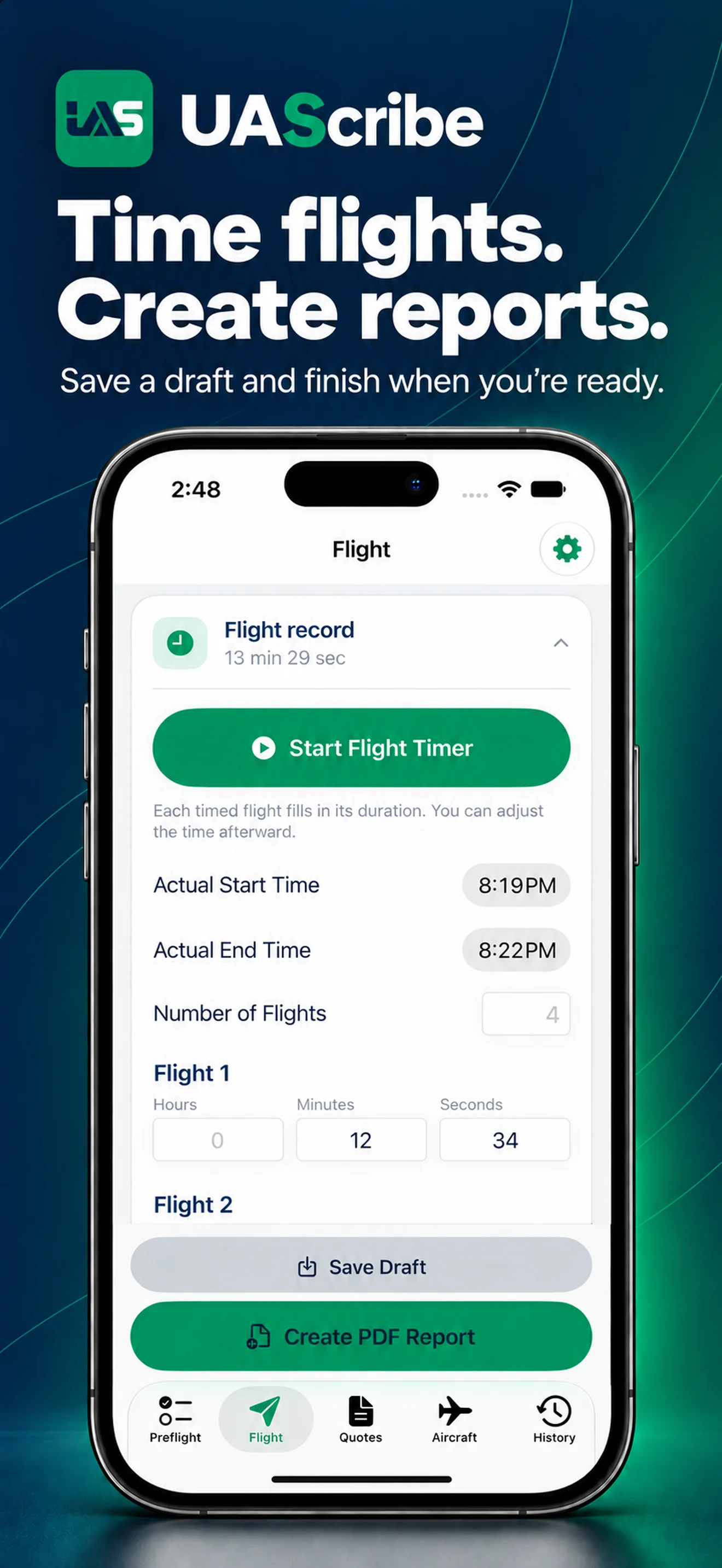
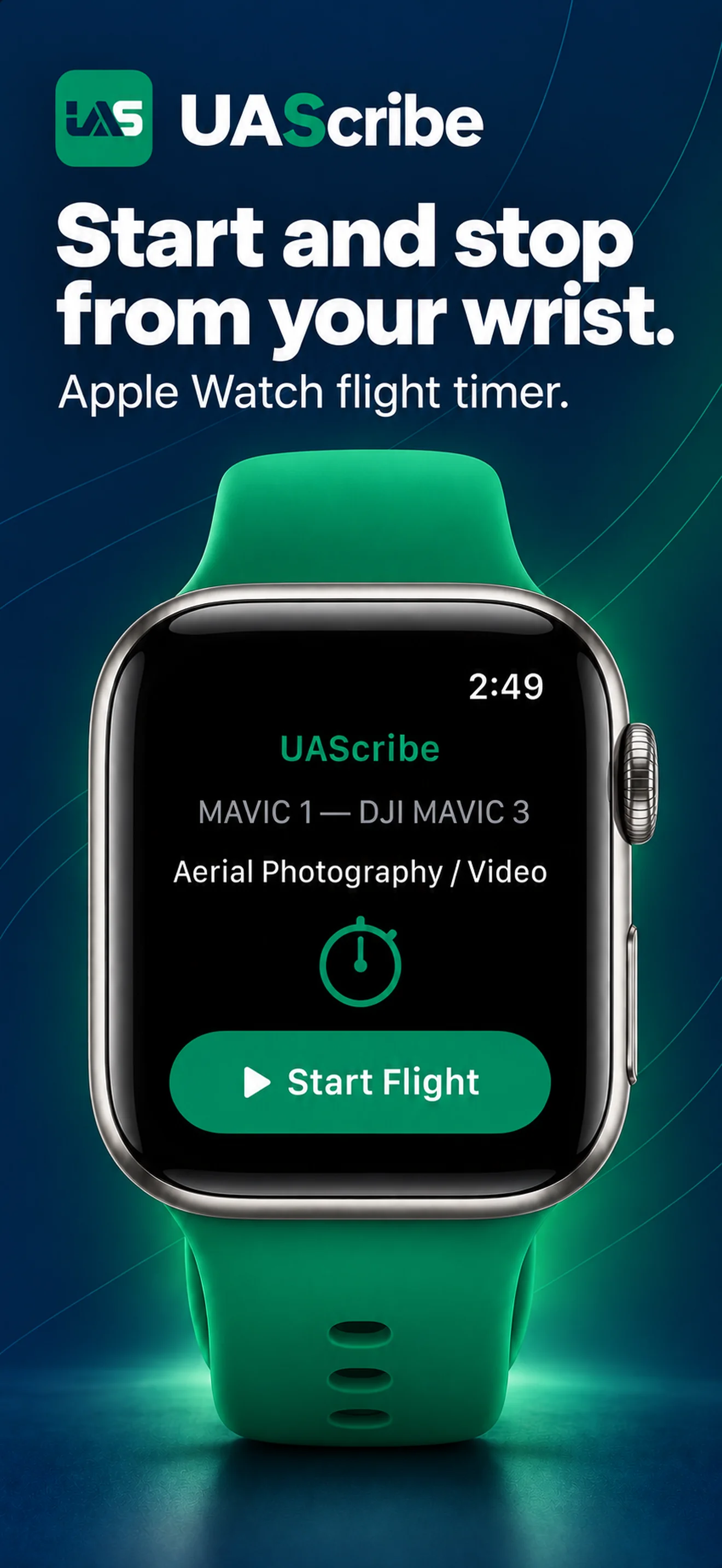
Start and stop UAScribe’s built-in flight timer as you document the operation. The recorded duration carries into the mission report. With a compatible paired Apple Watch, you can send start and stop commands from your wrist while the iPhone keeps the flight record.
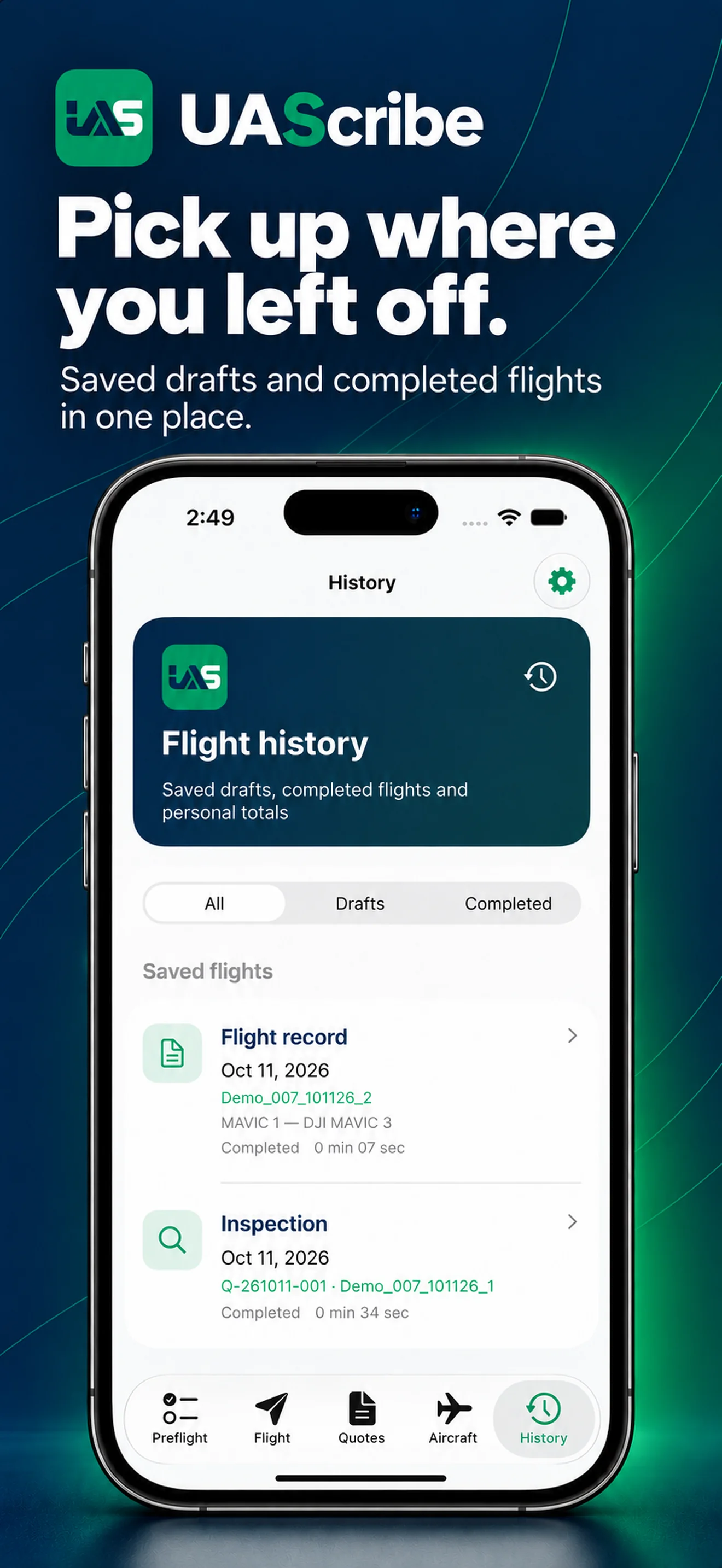
UAScribe also maintains running flight-time totals for each aircraft. Save an unfinished flight in History when you need to return and complete the record later.
A useful flight record brings together the date, mission, aircraft, pilot, location, and flight time. Use the built-in timer to record flight duration, complete the mission details, and return to saved records in History. Automatic DJI or Autel telemetry imports are not included.
Record the remote pilot in command (RPIC), aircraft, crew, mission details, flight times, and communication plan. Use the dedicated UAV preflight checklist to keep the review with the operation.
Request coordinates, nearby airport information, surface-airspace information, and National Weather Service observations using the device’s current location or an address you enter. Online lookups depend on service availability.
UAScribe supports documentation. Airspace and weather information are informational and do not grant flight authorization or replace your preflight responsibilities.
AN ACTUAL UASCRIBE REPORT
Choose a page to see what it records. Open any individual page at full size when you want a closer look.
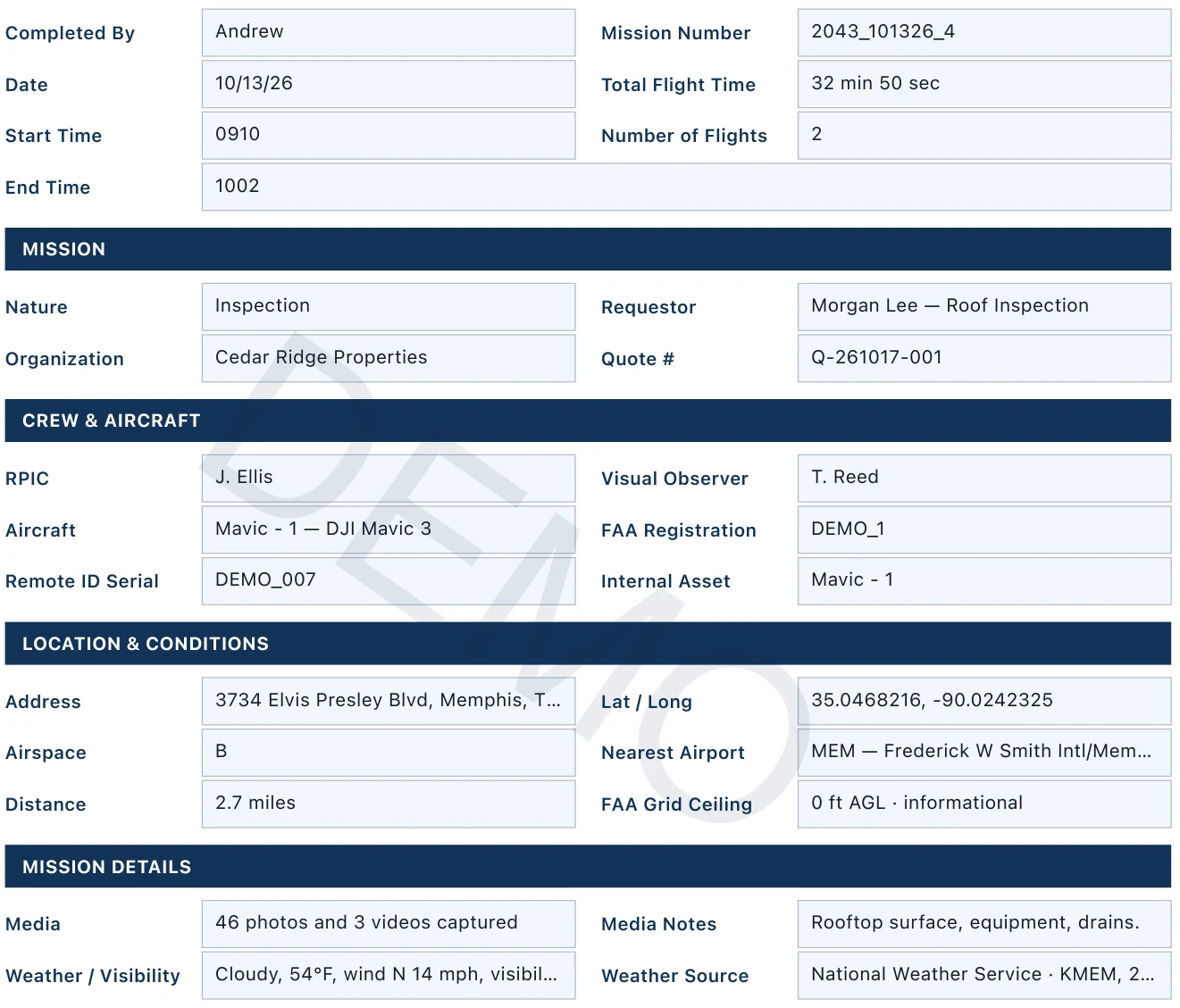
SECTION 1 / MISSION SUMMARY
See how the mission, flight time, crew, aircraft, and conditions come together in one record.
Open this page full sizeOpens only this page, with the DEMO watermark.
SECTION 2 / MISSION DESCRIPTION
Keep a written account of the work performed and how the photos or video were delivered.
Open this page full sizeOpens only this page, with the DEMO watermark.

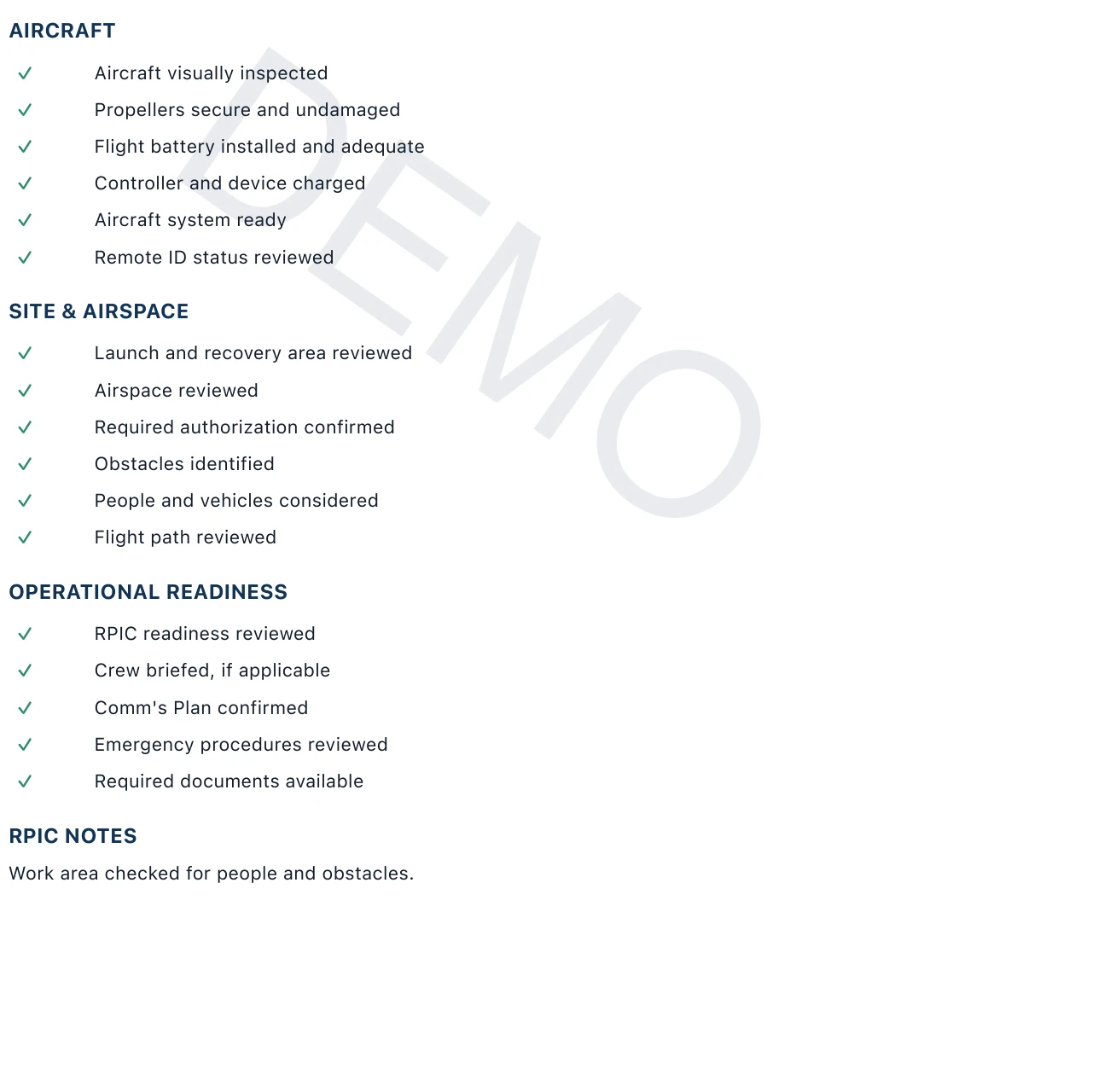
SECTION 3 / PREFLIGHT REVIEW
Review the recorded aircraft, site, airspace, and operational-readiness checks, followed by RPIC notes.
Open this page full sizeOpens only this page, with the DEMO watermark.
SECTION 4 / LINKED QUOTE
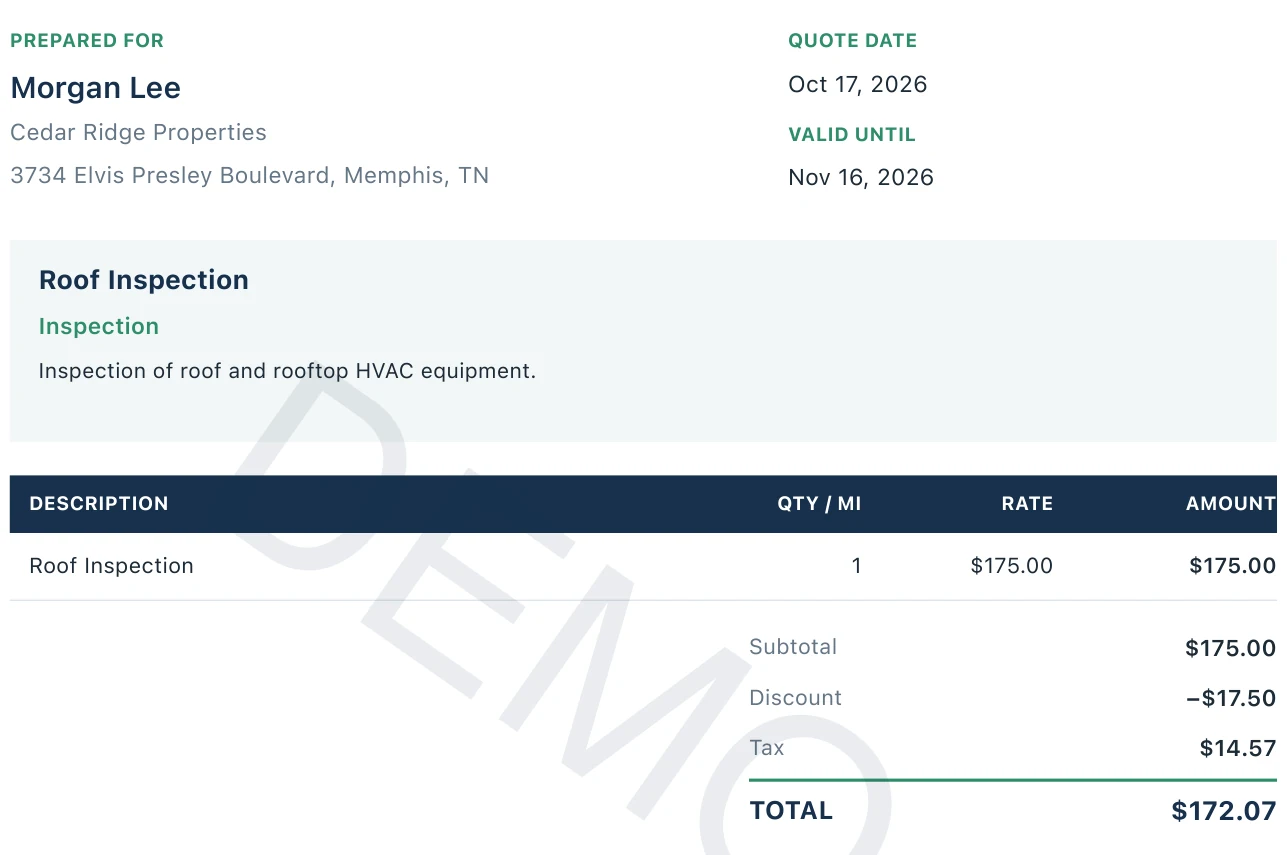
Keep the customer details, service description, line items, and final quote total with the flight record.
Open this page full sizeOpens only this page, with the DEMO watermark.
SEE UASCRIBE IN ACTION
Include the linked quote in the same PDF, review the completed report, then save, share, or print it. Use the iOS share sheet to select your destination or a compatible printer.
Captioned walkthrough · Fictional sample project · No audio
Download on the App StoreTry 3 reports for free.
Add your organization name and logo to the PDF you share.
Save, share, or print your completed PDF through the iOS share sheet. Printing requires a compatible printer.
Try 3 reports for free, then create unlimited reports with a Pro plan.
SEE UASCRIBE IN ACTION
Document the mission, find saved records, and use the Apple Watch flight timer.
Select any image for a larger view.