
“I Keep Retyping
The Same Job Details.”
Link The Quote Once
Bring saved quote details into the flight record and include the quote with the finished PDF.
See The Linked Quote →
DRONE FLIGHT LOG APP FOR IPHONE & IPAD
Quote The Job. Log The Flight. Send The Report.
Stop rebuilding the paperwork after every flight. Bring job details, preflight checks, and flight time into a branded PDF you can share or print from your iPhone.
Pro: $5.99/month · $39.99/year · $99.99 lifetime
US App Store price · Regional pricing may differ
Free Field Resources: Preflight Checklist · Maintenance Log
See The Finished Report →
On a computer?
Scan with your iPhone.
Built for the work behind every flight.
Built by a USMC veteran and active law enforcement drone pilot.
For commercial pilots and public safety teams.
Connect the quote, job details, and report. Give your client a professional handoff.
PUBLIC SAFETYCapture the mission while it is fresh. Give your supervisor a clear record.
SOUND FAMILIAR?
“I Keep Retyping
The Same Job Details.”
Bring saved quote details into the flight record and include the quote with the finished PDF.
See The Linked Quote →“My Preflight Notes
Are Somewhere Else.”
Keep your completed checklist and notes with the mission, ready to include in its report.
See The Preflight Record →“I’m Still Adding Up
Aircraft Hours By Hand.”
Completed saved flights add to your aircraft’s starting hours, alongside its maintenance history.
Explore Aircraft Records →LESS LOOKING UP. LESS TYPING.
Use your device’s location to look up coordinates, current weather, and the nearest public-use airport and its distance. Preparing for a flight somewhere else? Enter the launch-site address to look up that location instead.
Keep the conditions with the flight so you can refer to what you recorded later.
Explore Preflight & Conditions →FROM YOUR DEVICE’S LOCATION
Start with where you are.
Retrieve the available observation.
Bring local aviation context into view.
Location permission is optional. Weather and aviation lookups require an internet connection and depend on data availability. Review the results before saving.
WHAT YOUR CLIENT OR SUPERVISOR RECEIVES
Put your organization’s logo on a clear record of the mission. Explore this actual app-generated DEMO report one section at a time, or open the full PDF.
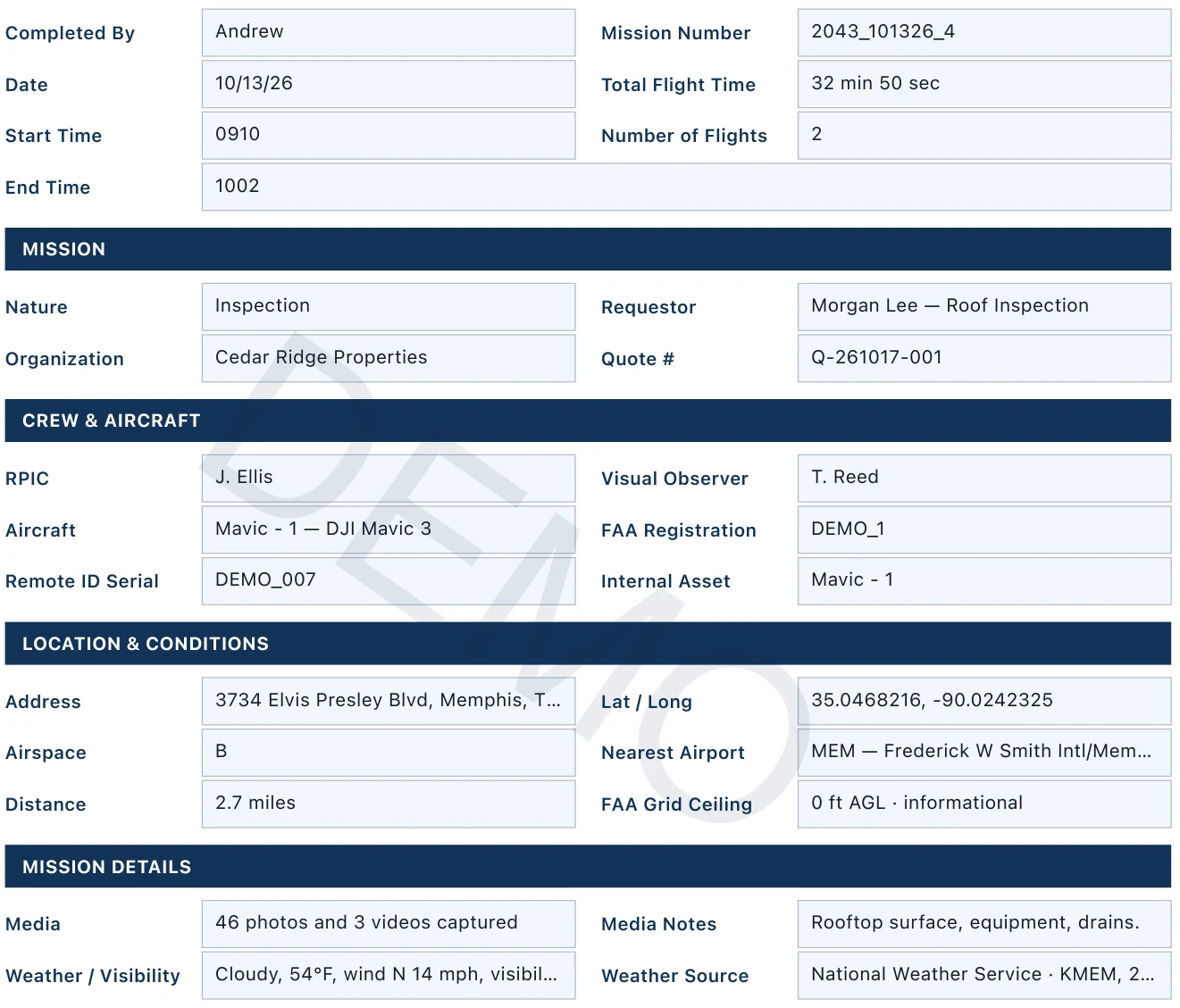
SECTION 1 / MISSION SUMMARY
See how the mission, flight time, crew, aircraft, and conditions come together in one record.
Open this page full sizeOpens only this page, with the DEMO watermark.
SECTION 2 / MISSION DESCRIPTION
Keep a written account of the work performed and how the photos or video were delivered.
Open this page full sizeOpens only this page, with the DEMO watermark.

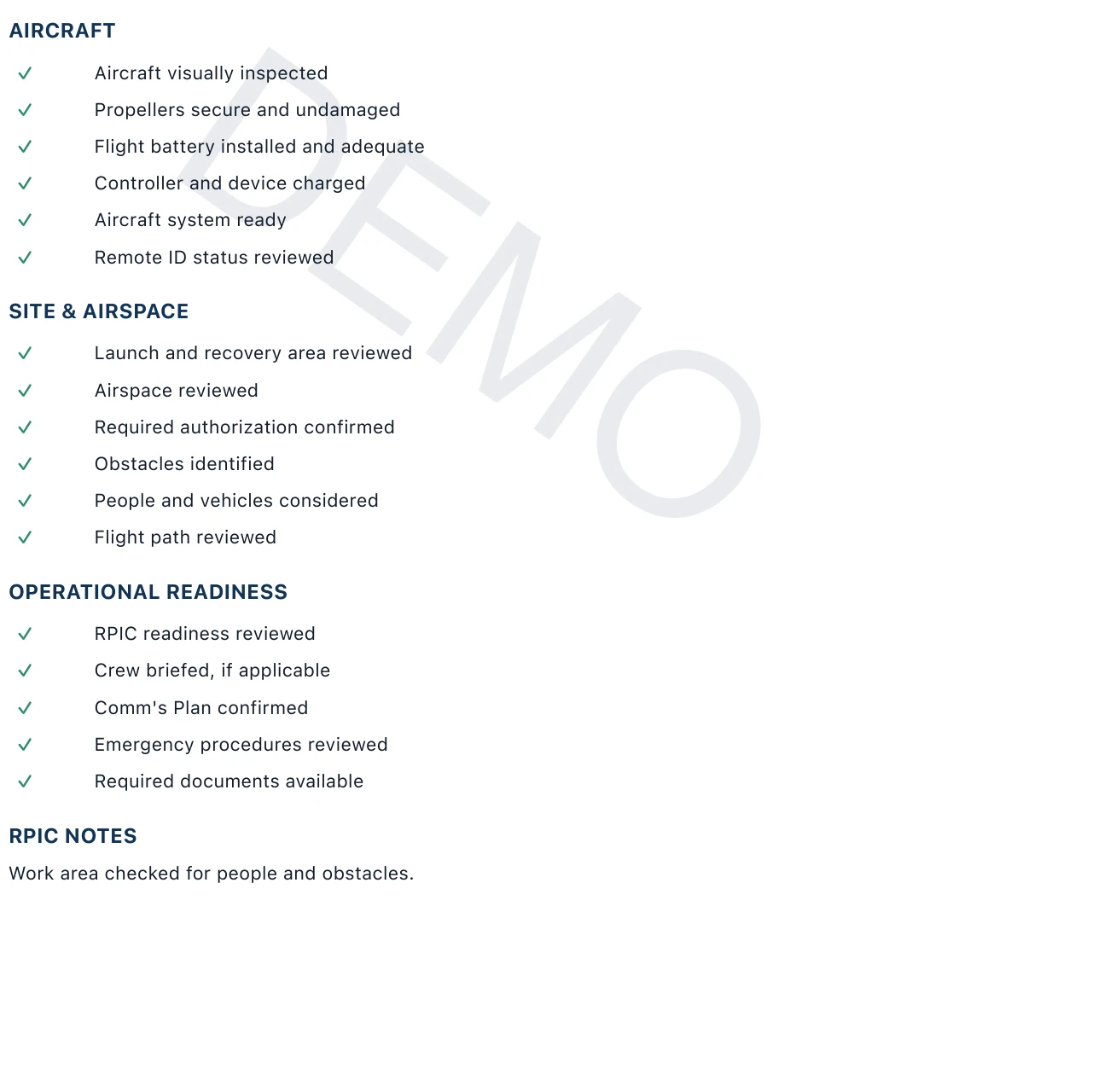
SECTION 3 / PREFLIGHT REVIEW
Review the recorded aircraft, site, airspace, and operational-readiness checks, followed by RPIC notes.
Open this page full sizeOpens only this page, with the DEMO watermark.
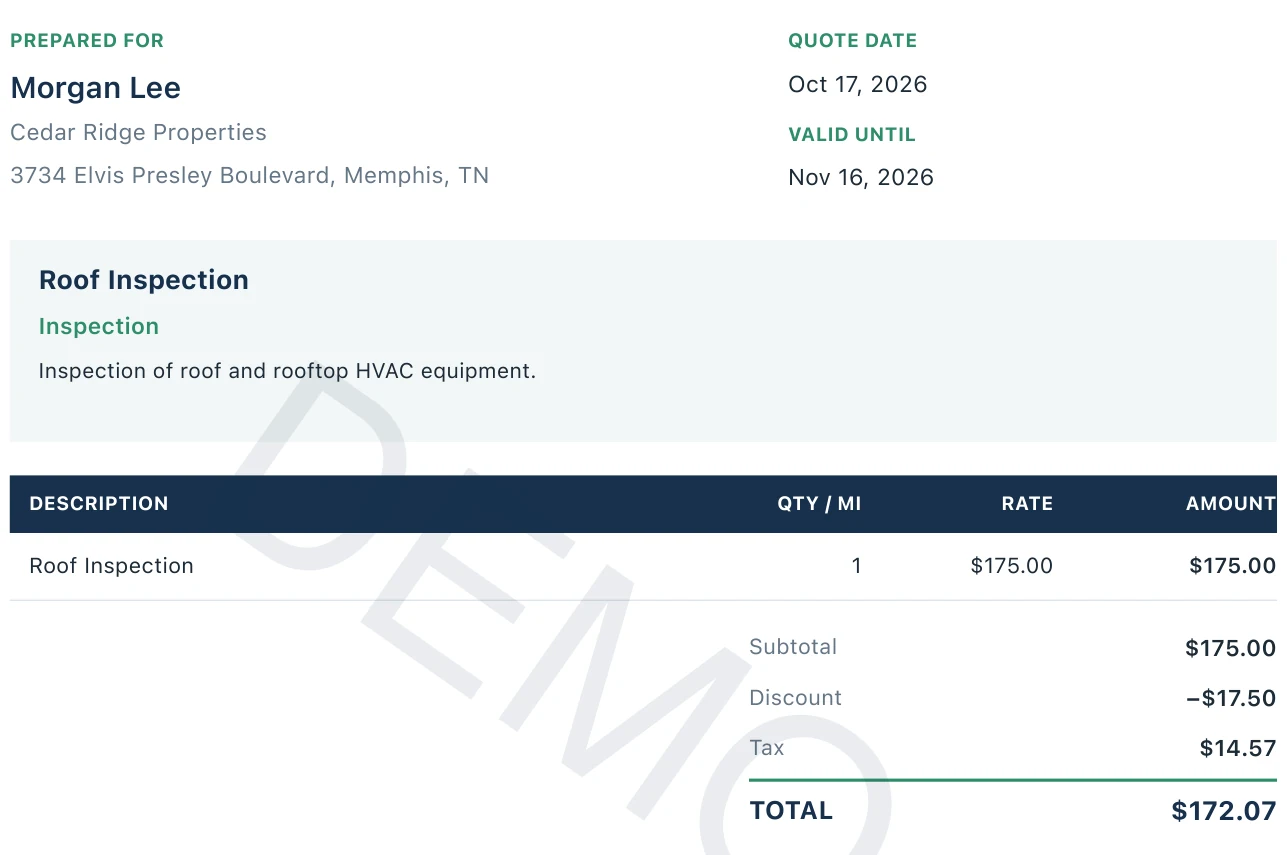
SECTION 4 / LINKED QUOTE
Keep the customer details, service description, line items, and final quote total with the flight record.
Open this page full sizeOpens only this page, with the DEMO watermark.
ONE CONNECTED WORKFLOW
Move from scattered notes to one connected record.
Quote in one file. Checks on paper. Times in your notes. Details to retype.
Link the quote. Record the flight. Review and share the PDF.
Reuse saved services and pricing. Link the quote to a flight and bring its details into the record.
Explore quotes →02 / DOCUMENTLook up the location and conditions, record preflight checks, and carry the built-in timer’s duration into the report.
Explore flight reports →03 / DELIVERCreate a PDF with your organization’s name and logo. Share or print it, with the linked quote included when needed.
See PDF reporting →See the app in use, from the first details to the finished report.
MORE THAN A FLIGHT LOG
Review personal flight hours, compare forecast conditions with your limits, and capture the latest observation for your launch site.
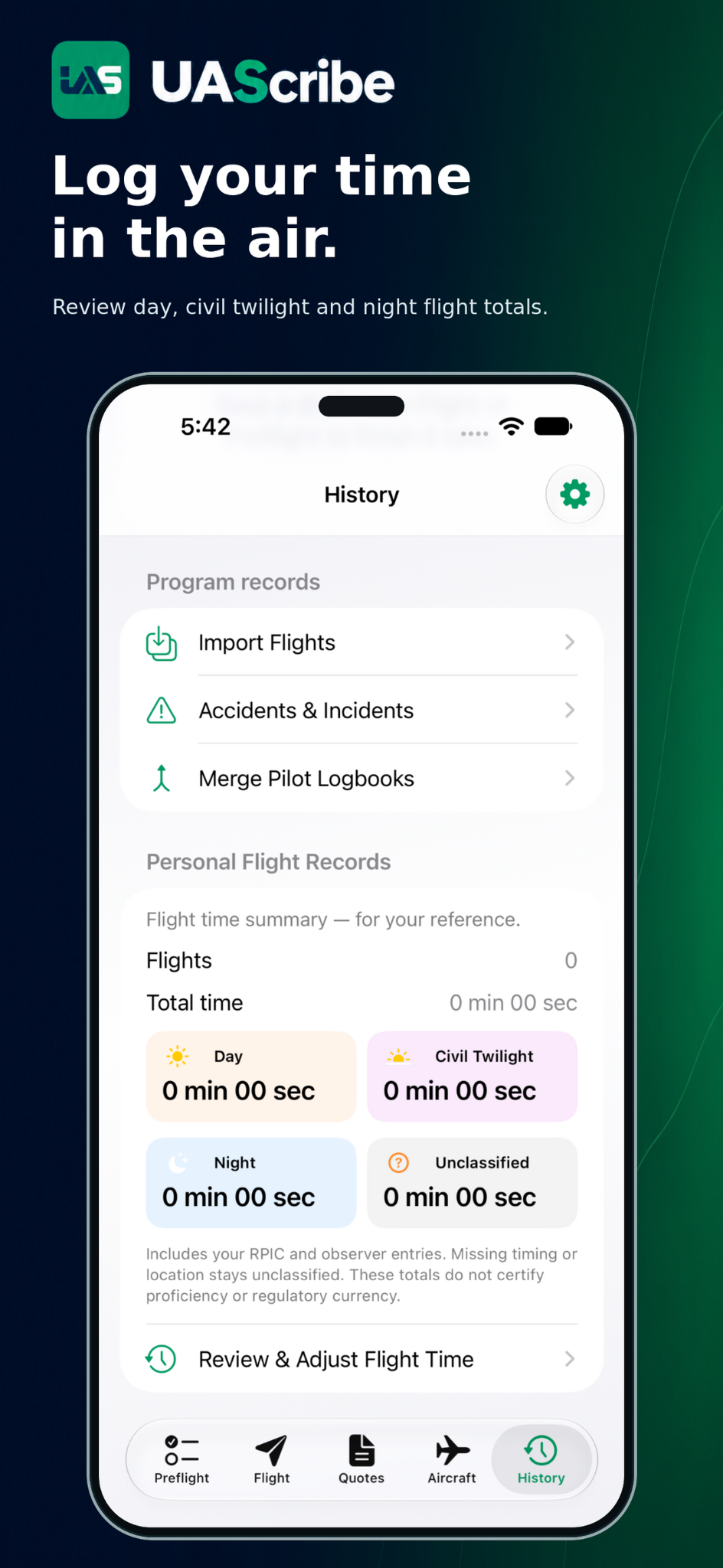
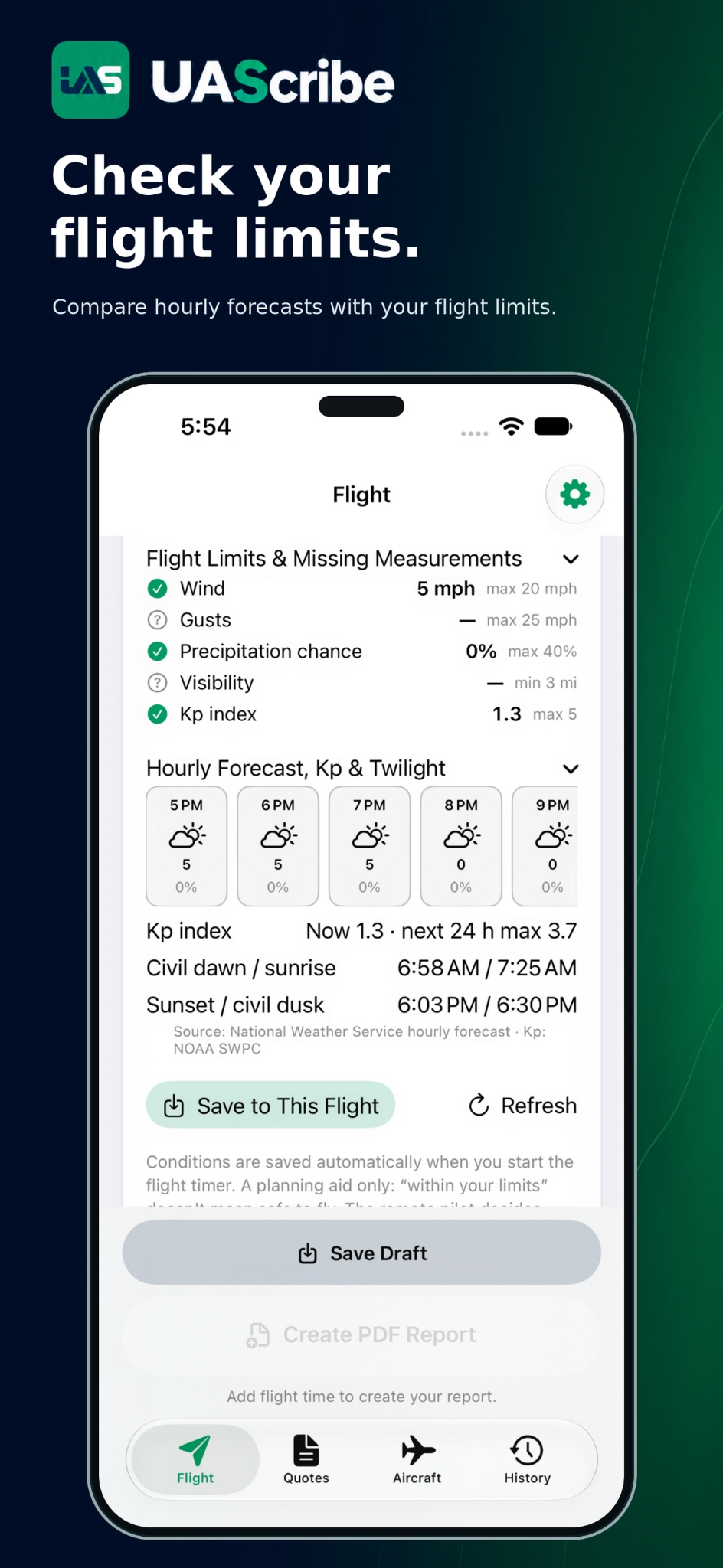
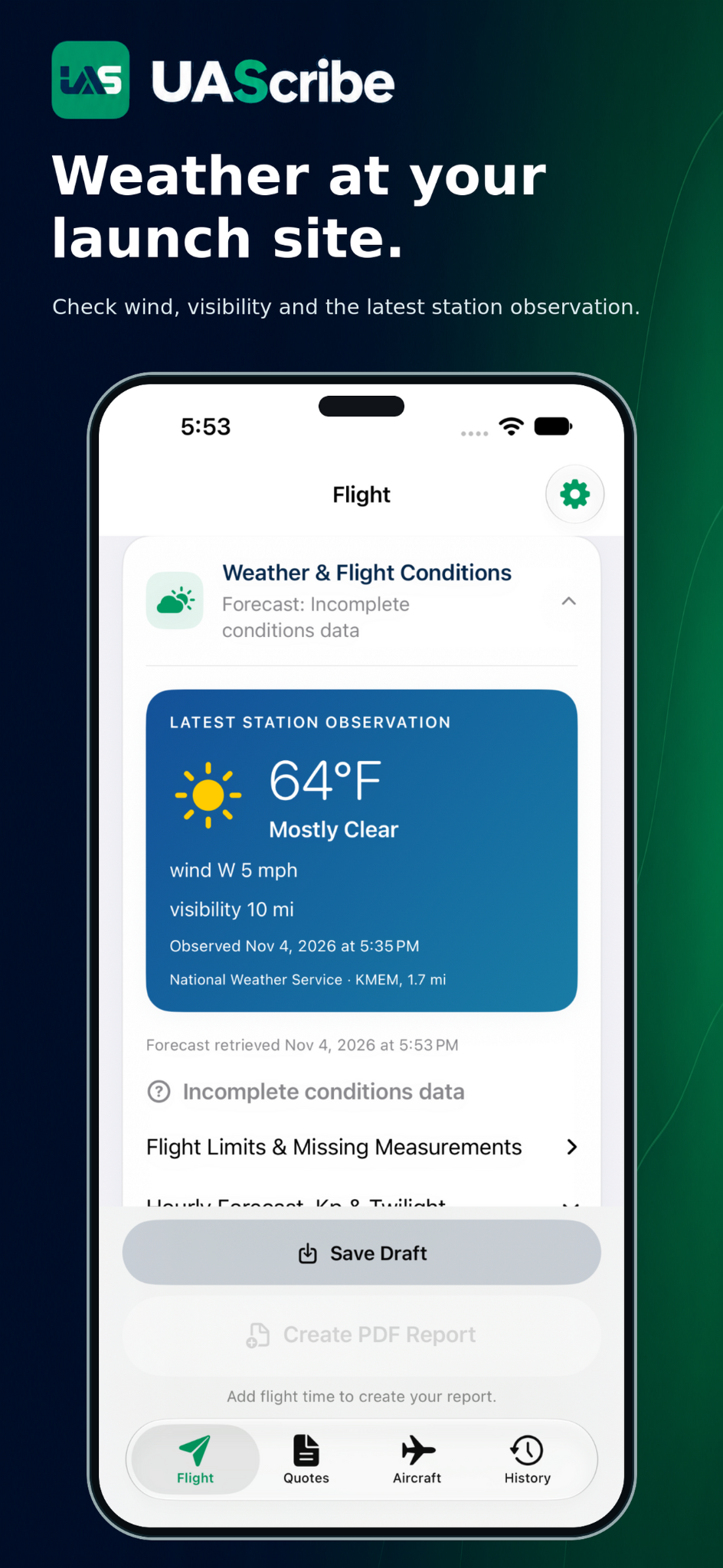
Screens show sample data for illustration. Weather and forecast details change with location, time, and data availability.
BUILT IN THE FIELD
UAScribe was created by an active law enforcement drone pilot and USMC veteran. It grew out of a records tool originally developed for a working police drone unit and refined through real operations.
Rebuilt from the ground up for commercial pilots and public safety teams, UAScribe brings that practical experience to every drone operator who needs clean flight records and professional reports.
START WITH YOUR NEXT FLIGHT
Try the complete reporting workflow before choosing unlimited mission reports.
MONTHLY
Billed monthly.
For a flexible start.
ANNUAL
Billed annually.
Save 44% vs. 12 monthly payments.
LIFETIME
One payment.
Permanent Pro access.
US pricing; regional prices may differ. Monthly and annual plans renew automatically unless canceled in your Apple account settings. Existing permanent unlocks remain valid. Purchase & Restore Help →
MADE FOR YOUR SCALE
For independent pilots, small drone businesses, and public safety operators who need organized documentation on their own device.
No UAScribe account is required. Records stay on your device; you choose when to share a report. Online lookups and device backups have their own data practices.
Need automatic aircraft-log sync, shared fleet dashboards, or multi-user administration? Compare Your Options →
Read The Privacy Policy →COMMON QUESTIONS
No. UAScribe documents flights and creates quotes and reports. It does not control your aircraft or grant airspace authorization.
Yes. Save, share, or print the completed PDF through the iOS share sheet. Printing requires a compatible printer.
Yes. The app supports iPhone and iPad, including landscape layouts on iPad.
Saved records are local to the device where you create them. Do not rely on automatic iPhone-to-iPad synchronization. Save important report PDFs where you can access them later.
Try three completed mission reports before purchasing Pro. Canceling the share sheet does not use a report, and sharing an unchanged report again does not count it twice. Choose monthly, annual, or lifetime Pro for unlimited reports. Existing permanent unlocks remain valid; use Restore Purchases with the original Apple account if needed.
PUT YOUR NEXT REPORT TO WORK
Your logo. Your flight details. A professional PDF for your client or supervisor.
Try 3 reports for free. Pro: $5.99/month, $39.99/year, or $99.99 lifetime.
US App Store price · Regional pricing may differ
FREE FIELD RESOURCE
Free public safety, preflight, maintenance, and flight-log resources.