
Inspect The Aircraft And Equipment
- Aircraft condition and visible damage
- Propeller condition and attachment
- Flight battery and available power
- Controller and mobile-device charge
- Aircraft system readiness
- Remote ID status
FREE FIELD RESOURCE / PREFLIGHT
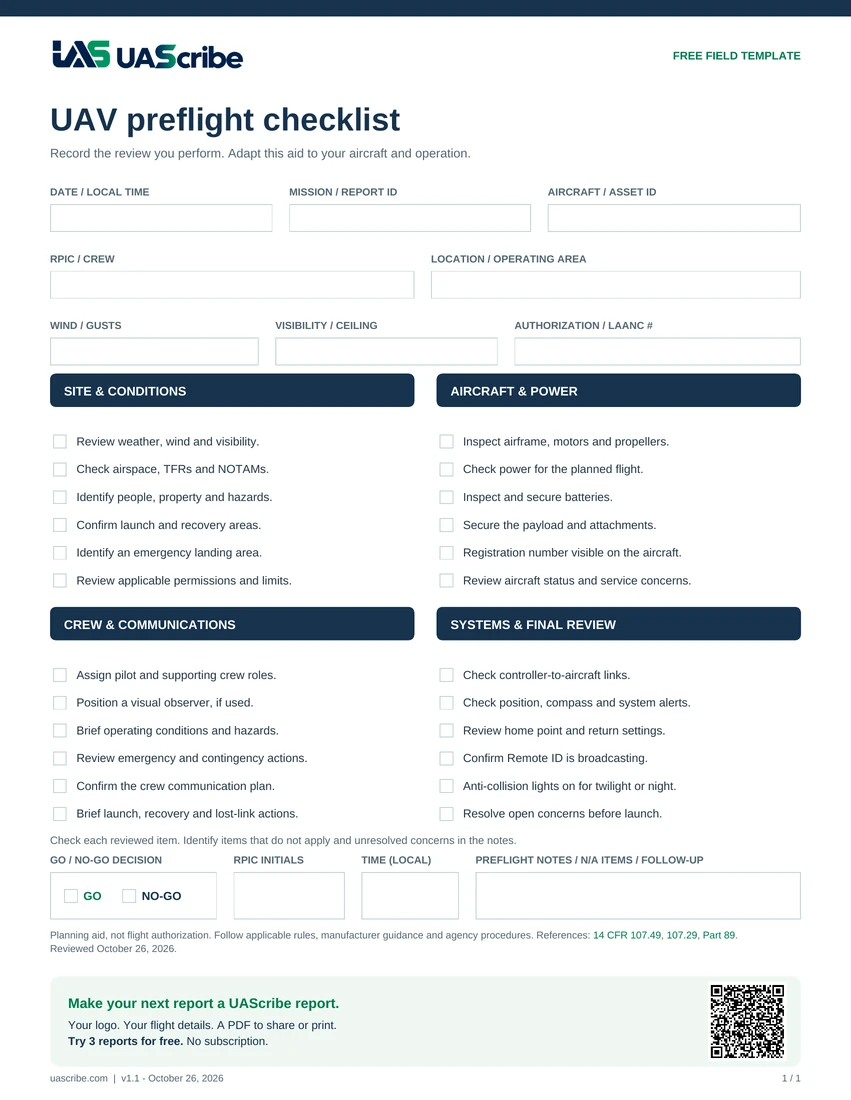
A printable UAV preflight checklist for your aircraft, operating area, and crew. Start with the worksheet, then see how to keep the completed review with your flight record.
Free to download. Subscribe For Template Updates →
FROM WORKSHEET TO FLIGHT RECORD
A completed sheet is harder to use when it is separate from the flight. Keep the checklist, location, and recorded conditions with the mission they describe.
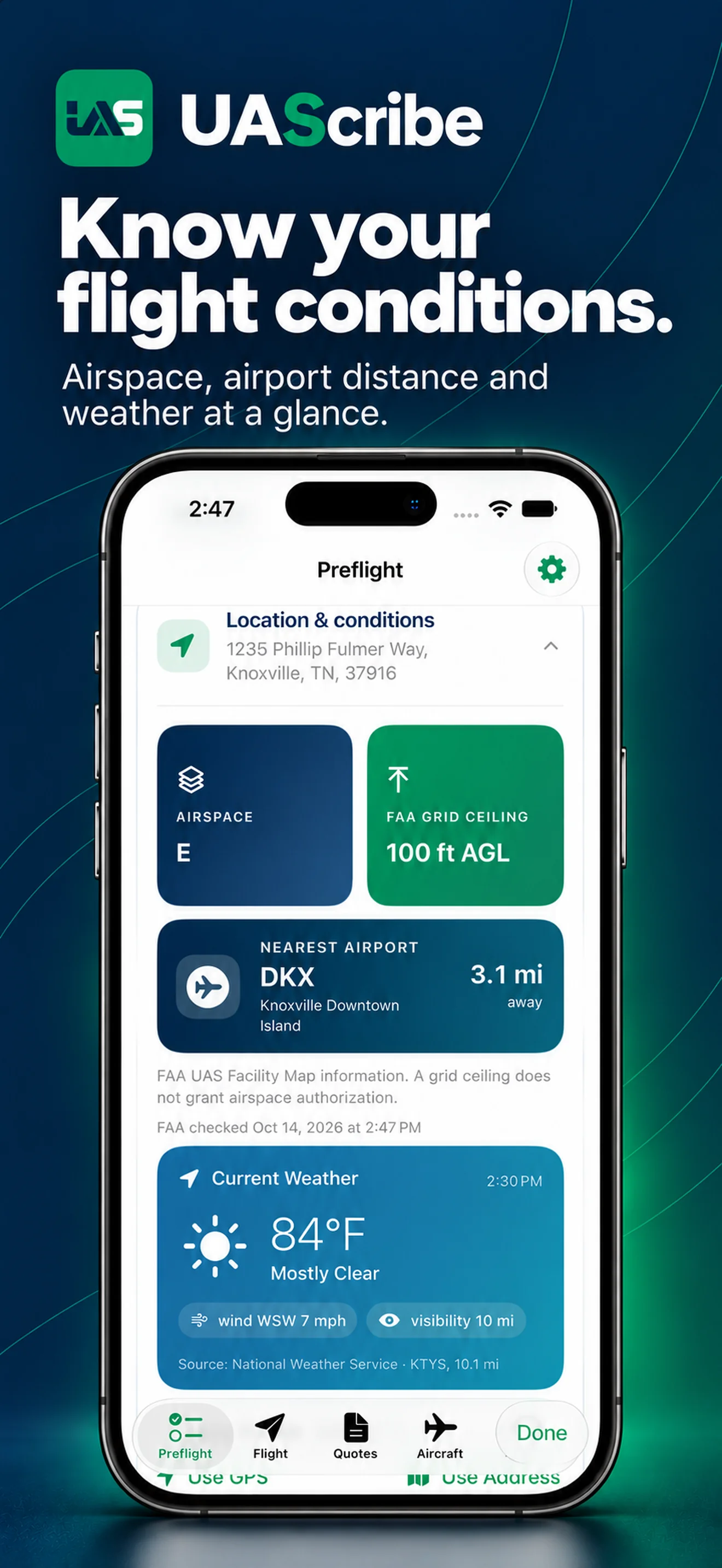
Use your device’s location to fill in coordinates and look up current weather, the nearest public-use airport, and its distance. Enter an address instead when planning ahead. Keep your completed checks and notes with the mission and include them in the PDF report.
Try 3 Reports for FreePro: $5.99/month · $39.99/year · $99.99 lifetime.
US pricing; regional prices may differ.
Location permission is optional. Weather and aviation lookups require an internet connection and depend on data availability. Review the results before saving.
Use these categories as a starting point, then add the checks required for your aircraft and mission.
Start with aircraft condition, local weather, airspace and restrictions, people and property near the operation, crew roles, control links, available power, and payload security. Add aircraft-specific checks and any conditions in an authorization, waiver, or agency procedure that apply to the mission.
14 CFR 107.49 describes preflight responsibilities for Part 107 operations. 14 CFR 107.15 addresses the aircraft’s condition for safe operation. Use the current rules and your aircraft manufacturer’s instructions alongside your own checklist.
A printable checklist is useful when you need a paper record. In UAScribe, preflight documentation stays connected with the mission and the completed PDF. That makes it easier to preserve the context behind a flight rather than keeping the checklist in a separate note.
This is a general documentation aid, not an FAA-approved form or a complete compliance checklist. The pilot remains responsible for the operation.
After your review, use the built-in flight timer to record duration for the mission report. UAScribe also keeps running flight-time totals for each aircraft, so flight activity and maintenance history stay organized.
Built by an active law enforcement drone pilot and USMC veteran. Read the UAScribe story.
UAV, UAS, and drone are common terms used for these operations. A preflight checklist organizes the checks you perform before a flight; the details should match your aircraft, mission, and applicable procedures.
Yes. The completed preflight review and notes can be kept with the mission record and included in the PDF report you save, share, or print.
Yes. Download the printable PDF directly at the top of this page. Adapt it to your aircraft and operation; it is a starting worksheet, not an FAA-approved checklist.
No. UAScribe documents your review and provides informational lookups. The pilot remains responsible for required authorizations and the decision to fly.
KEEP THE RECORD WITH THE FLIGHT
Review the checks, document the flight, and save, share, or print the completed PDF.
Try 3 reports for free.
Pro: $5.99/month, $39.99/year, or $99.99 lifetime. US App Store price; regional pricing may differ.